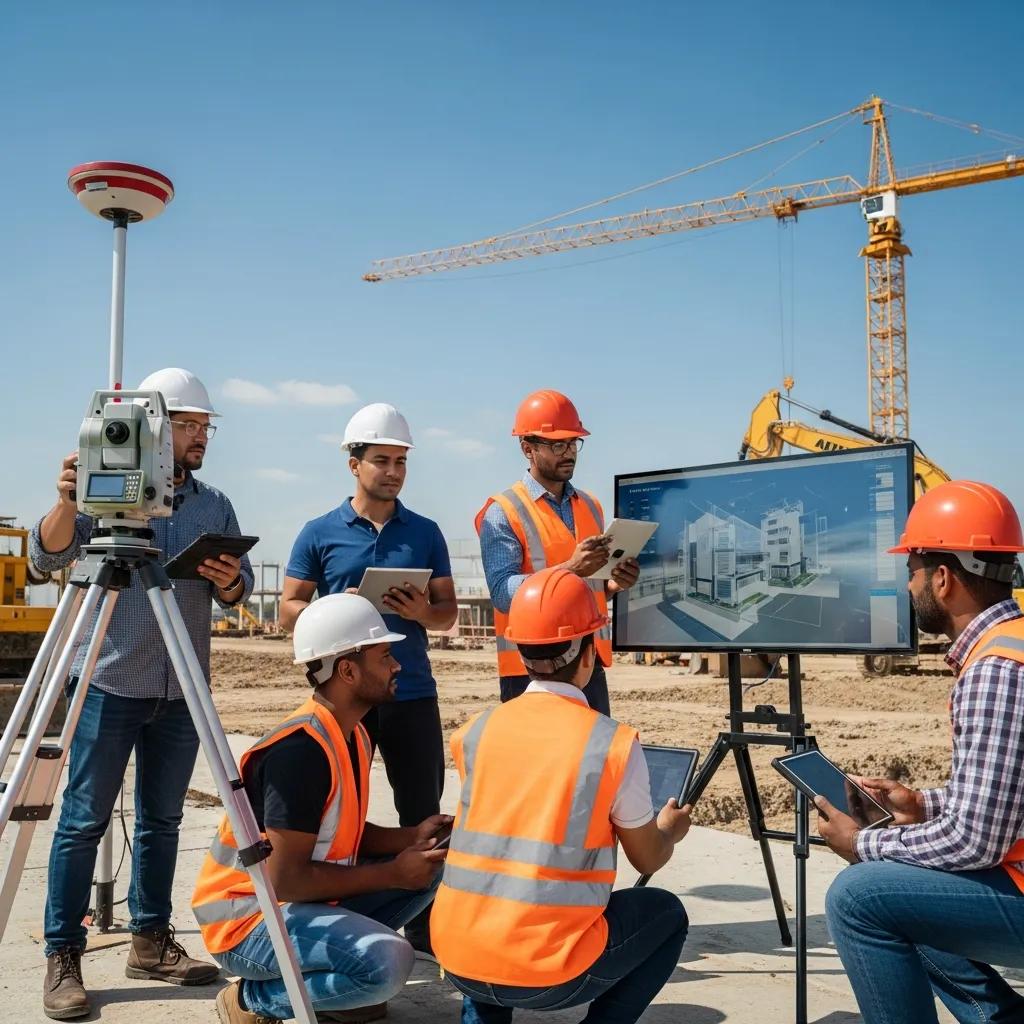
Upskilling the Workforce for Digital Construction Tools: Practical Skills to Improve Field Accuracy and Project Delivery
Digital construction upskilling trains both field crews and office teams to use the software, hardware, and data workflows that cut errors, reduce rework, and speed project delivery. The industry skills gap still creates avoidable RFIs, misaligned trades, and messy handoffs; targeted training bridges that gap so teams can apply BIM, VDC, and field-measurement tools with confidence. This guide outlines the digital skills that matter in 2025, how VDC consulting accelerates adoption, and practical best practices for BIM coordination, robotic layout, and 3D scanning. You’ll find which tools to prioritize, the KPIs to measure adoption, and program structures that combine classroom lessons, hands-on practice, and remote mentoring. Throughout, we use current industry concepts—BIM upskilling, clash detection, robotic total station workflows, and cloud collaboration—to give clear, actionable pathways for workforce development and better project outcomes.
Conway Coordination and Layout Services (CCLS) translates those training goals into on-site practice and measurable results. As a family-owned provider serving the Southeastern U.S., we pair VDC strategy with hands-on BIM modeling, 3D scanning, and Trimble Robotic Total Station workflows to support adoption across office and field teams. For organizations looking for a structured pathway, CCLS offers role-based curricula, on-site mentoring, and remote follow-up to raise adoption and lower rework; teams can request a consultation or project evaluation to align training with project KPIs. The sections below unpack essential skills, delivery formats, coordination best practices, and real-world results that demonstrate the ROI of upskilling.
What Are the Essential Digital Skills for Construction Professionals in 2025?
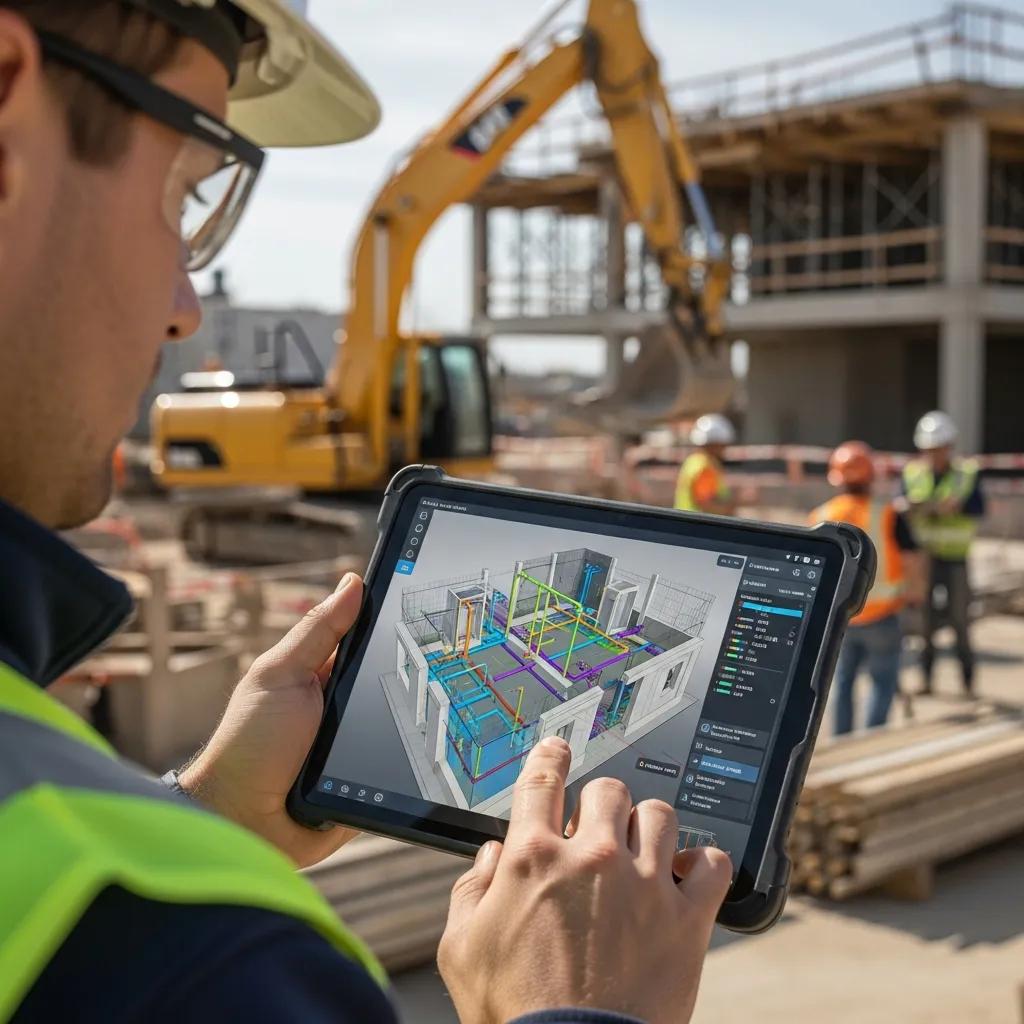
Essential digital skills are the hands-on abilities teams need to make digital tools deliver on accuracy, coordination, and schedule performance. That list includes BIM literacy, clash detection workflows, point-cloud capture and processing, robotic total station operation, cloud collaboration, data literacy for analytics, and a working familiarity with AI-augmented tools. Each skill produces a clear project benefit—clash detection cuts rework, point-cloud processing improves as-built models, and data literacy helps interpret predictive schedule signals. Separating competency goals for field and office roles clarifies training: field crews focus on instrument setup and data capture, while office staff focus on federated models, coordination, and model validation. Targeted training against this skill set yields measurable outcomes like fewer site conflicts, faster RFIs, and better field-to-model feedback loops.
Key digital skills for 2025 and why they matter:
- BIM literacy for field and office: Read and use models accurately to reduce misalignment between drawings and site conditions.
- Clash detection and resolution: Find and resolve design conflicts early to lower rework and speed coordination.
- Point cloud capture and processing: Create reliable as-built data for renovations and verification workflows.
- Robotic total station operation: Translate model coordinates into precise field layout to improve constructability.
- Cloud collaboration and CDE usage: Maintain a single source of truth for version control and remote coordination.
These core skills form the baseline for effective VDC adoption and point to the specific tools and competency levels teams should master next.
How to read the skill comparison table and what it shows:
| Skill | What It Enables | Project Benefit / Metric |
|---|---|---|
| BIM literacy | Clear model interpretation and accurate markups | Fewer RFIs; faster submittal reviews |
| Clash detection | Automated conflict discovery and classification | Lower rework percentage and faster coordination cycles |
| Point cloud processing | Reliable as-built models from scan data | Improved renovation accuracy; fewer surprises |
| Robotic total station operation | Accurate field stakeout tied to the model | Millimeter-level placement; fewer layout errors |
| Cloud CDE proficiency | Version control and controlled access | Faster approvals and smoother remote collaboration |
Which digital construction tools should the workforce master?
Digital construction tools fall into a few practical categories: modelers, coordination platforms, clash engines, layout instruments, and capture devices—each serving a specific role in the design-to-field workflow. Revit and comparable modelers are for authorship and model handoff, while Navisworks-style tools aggregate disciplines for clash detection and review. Trimble Robotic Total Stations and similar instruments are the go-to tools for accurate field layout. 3D laser scanners and drones capture point clouds for as-built verification and renovation planning, and cloud Common Data Environments (CDEs) handle centralized sharing and version control accessible on field devices. We recommend role-based mini-courses for model authors, coordination workshops for BIM coordinators, and hands-on calibration sessions for field crews to ensure safe, accurate use.
Those tool choices inform the training formats: office teams need model-authoring and coordination practice; field crews need hands-on device time. That division prepares teams to work together and leads to the next topic: measurable impacts of BIM upskilling.
How does BIM upskilling improve construction project outcomes?
BIM upskilling changes how teams scope, detect, and resolve constructability issues before they reach the field—mainly by clarifying data flow and encouraging earlier interdisciplinary validation. Teams that run scheduled clash detection reduce downstream rework and shorten the coordination-to-install cycle; industry data shows RFIs drop when coordination cadence is enforced. When teams combine model-based quantity takeoffs and sequencing, cost and schedule signals get integrated earlier, improving predictability and lowering contingency use. Practical examples include less piping rework when MEP coordinates against structure and faster submittal turnarounds when model revisions are managed in a CDE with clear roles. These measurable gains come from role-based BIM curricula and consistent coordination rhythms that make the model the single source of truth.
Stronger BIM skills also improve handoffs to field layout and quality verification, setting teams up to adopt advanced tools like robotic total stations and scanning workflows covered next.
How Does VDC Consulting Support Workforce Upskilling in Construction?
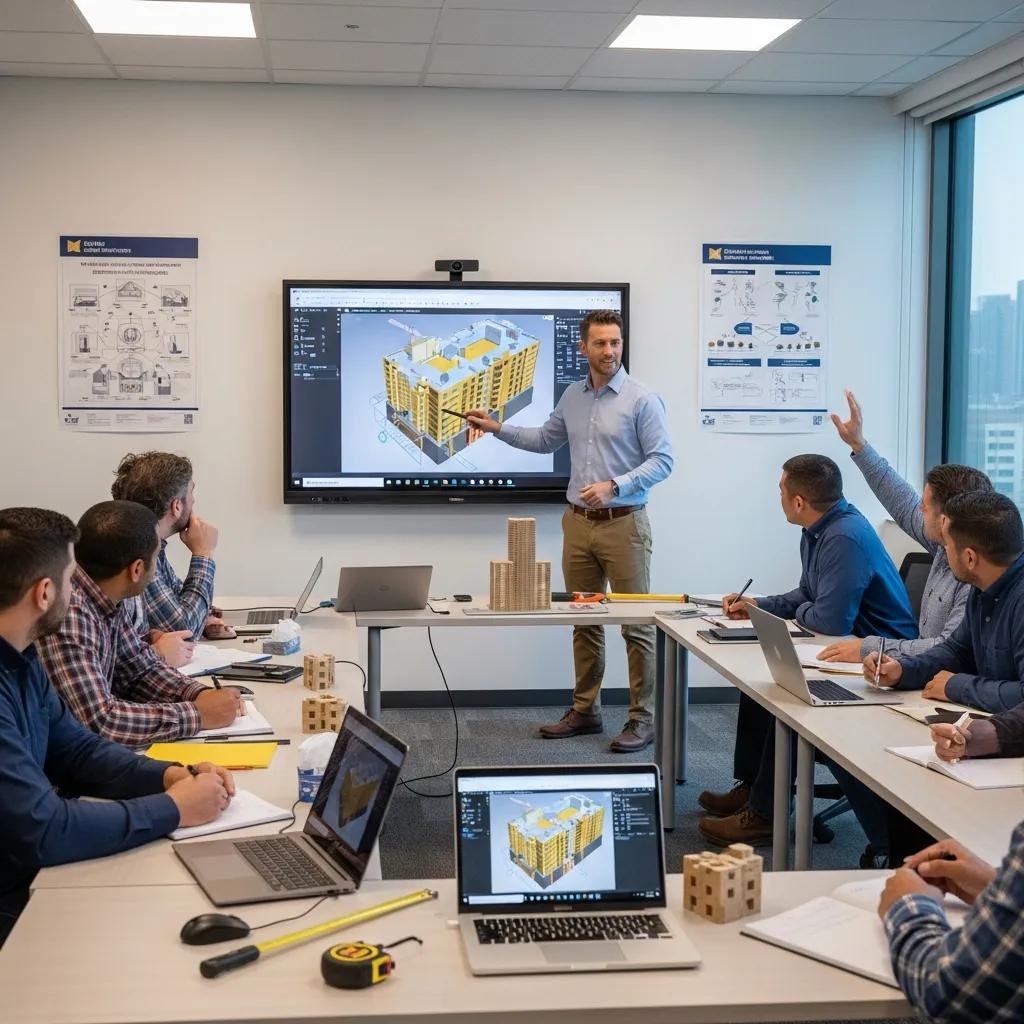
VDC consulting supports upskilling by delivering strategy, tailored curricula, technology selection, and hands-on mentorship that tie tools and workflows to project KPIs. Consultants assess current capabilities, define role-based competencies, and roll out phased training—starting with fundamentals, moving to coordination practices, and finishing with field-to-model integration. The result is measurable: higher adoption, shorter coordination cycles, and less rework when teams follow proven VDC practices. Delivery modes adapt to project needs; effective programs mix classroom sessions, hands-on instrument training, and ongoing remote mentoring to reinforce learning and solve field problems in real time. That combination aligns organizational goals with practical skills and creates a sustainable path from knowledge to consistent practice.
Core components of VDC consulting programs include:
- Assessment and roadmapping: Baseline skills mapping and a prioritized training plan.
- Role-based curricula: Tailored modules for field crews, BIM coordinators, and project managers.
- Hands-on mentorship: On-site instrument setup, model validation, and clash resolution workshops.
- Remote support and follow-up: Scheduled check-ins, recorded sessions, and troubleshooting to sustain adoption.
These components combine to improve adoption metrics, lower conflict-driven rework, and increase schedule reliability for multidisciplinary teams. For organizations in the Southeastern U.S. seeking vendor support, Conway Coordination and Layout Services (CCLS) provides VDC consulting that pairs strategy with Trimble Robotic Total Station training and 3D scanning integration to accelerate workforce readiness. We recommend a consultation or project evaluation as the first step to set KPIs and design training cohorts aligned to active projects.
What are the key components of effective VDC training programs?
Effective VDC training programs are modular and role-based, balancing foundational theory with hands-on practice and clear assessment. Modules typically progress from fundamentals—BIM literacy and CDE navigation—to intermediate coordination (clash detection cadence, model federation) and advanced topics (field-to-model verification, robotic layout calibration). Practical exercises—timed clash detection drills, field layout calibration, and point-cloud registration labs—give participants direct experience solving real project issues. Assessments use practical demonstrations and KPI tracking—examples include percent of clashes resolved per cycle, layout accuracy stats, and CDE adoption rates. Hands-on cohort sizes of 6–12 participants preserve individualized feedback while standardizing practices across project teams.
Well-designed assessments and reinforcement strategies help learning transfer to the jobsite and prepare teams for ongoing remote coaching.
How does on-site and remote VDC support enhance digital skills adoption?
On-site VDC support gives immediate, hands-on correction and mentorship that builds muscle memory and confidence for instrument operation and model workflows. Remote support scales that effort with recorded trainings, troubleshooting sessions, and asynchronous guidance that reinforce on-site lessons between visits. Hybrid models combine the immediacy of on-site mentoring—where a consultant can calibrate a Trimble Robotic Total Station—with remote monitoring and periodic virtual check-ins to resolve issues fast. Best practices for hybrid support include defined follow-up schedules, shared problem sets in a CDE, and documented standard operating procedures for remote coaches to reference. This blended approach balances cost with effectiveness and creates continuous improvement loops for workforce development.
Sustained adoption depends on this ongoing support structure, which moves teams from supervised practice to reliable, independent execution on live projects.
What Are the Best Practices for BIM Upskilling and Coordination in Construction?
BIM upskilling best practices center on standardized workflows, clear roles, regular coordination, and consistent use of a Common Data Environment to reduce ambiguity and speed decisions. Naming conventions, model federation rules, and a documented clash-detection cadence create a predictable coordination rhythm among trades. Clear role definitions ensure BIM coordinators, MEP leads, and field layout crews know which model elements they own and how to escalate conflicts. Regular coordination meetings with concise agendas and assigned action items turn model issues into tracked resolutions, shrinking the time from detection to install. These practices produce a repeatable framework that prevents one-off processes and improves outcomes across projects.
A stepwise approach to BIM coordination training that delivers reliable results:
- Establish modeling and naming standards: Define elements, parameters, and folder structures.
- Set coordination cadence and owners: Schedule regular clash-detection runs and assign resolution owners.
- Federate and validate models: Combine discipline models early to surface issues before fabrication.
- Train roles on the CDE and markup workflows: Ensure everyone uses the same platform and versioning process.
- Measure KPIs and iterate: Track resolution time, clash counts, and rework percentages to refine training.
Implementing these steps builds accountability and prepares teams for advanced coordination—like automated clash resolution and parameter-driven sequencing. The table below compares coordination techniques and suggested training formats to help training designers choose the right approach for their teams.
| Coordination Technique | Tools / Attributes | Recommended Training Format |
|---|---|---|
| Federated model workflows | Model aggregation; version control | Workshop plus hands-on federation labs |
| Regular coordination meetings | Structured agendas; owner assignments | Role-play sessions and live coordination drills |
| Standardized naming/parameters | Consistent element IDs; shared templates | Documentation and guided implementation |
| Automated clash detection | Rule-based checks; scheduled runs | Tool-specific training with practical exercises |
Which BIM coordination techniques reduce errors and improve collaboration?
Techniques that cut errors focus on predictability and clarity: federated models, scheduled coordination, and strict naming conventions remove ambiguity and make responsibility clear. Federated workflows let teams review combined discipline models to spot spatial conflicts early, while scheduled coordination meetings ensure those conflicts are triaged and assigned quickly. Naming and parameter standards let automated checks and schedules draw the right data every time, reducing manual mistakes. Practical steps include a federation checklist, defined meeting cadence, and a standard clash-report template to track issues uniformly. These actions turn coordination theory into day-to-day practices that shorten resolution time and lower conflict-driven rework on site.
From coordination theory we move into applied clash management and the targeted training that supports it, described next.
How does clash detection training benefit construction teams?
Clash detection training speeds coordination cycles, reduces RFIs, and improves sequencing by catching conflicts earlier. Typical training uses a representative federated model, asks participants to detect and classify clashes, and requires a resolution plan with assigned owners and schedule impacts. KPIs include average clash resolution time, share of clashes resolved before fabrication, and downstream RFI reduction. Before/after comparisons commonly show a noticeable drop in site corrections once teams adopt systematic clash-detection and resolution workflows. Role-specific training ensures MEP technicians, structural engineers, and BIM coordinators see how their inputs affect clashes and schedules, making coordination part of routine delivery.
These benefits translate directly into improved field execution and reduced rework—outcomes that are reinforced by solid layout and scanning skills covered next.
How Can Advanced Digital Layout and Scanning Skills Improve Construction Precision?
Advanced layout and scanning skills let teams carry model intent into the field with millimeter-level accuracy and capture as-built conditions with high fidelity. Robotic total stations turn digital coordinates into physical stakeouts and verification points, 3D scanners capture dense site geometry, and combined workflows merge point clouds with BIM for validation and retrofit planning. The payoff is fewer installation errors, faster verification, and a tighter feedback loop between field conditions and model updates. Training focuses on calibration, verification workflows, and clean data handoffs so field measurements raise model quality and overall precision. Clear accuracy comparisons help teams decide where to invest training and which competencies to certify on projects.
Overview comparison of tools and expected outcomes:
| Tool / Technique | Required Competency | Expected Accuracy / Outcome |
|---|---|---|
| Robotic Total Station | Instrument setup and stakeout workflows | Millimeter- to centimeter-level accuracy; precise layout |
| 3D Laser Scanning | Scan capture, registration, and point-cloud cleanup | High-fidelity as-built models; quick verification |
| Drone photogrammetry | Flight planning, processing, and georeferencing | Wide-area surveys; fast progress checks |
What are the benefits of mastering robotic total station operation?
Mastering robotic total station workflows brings accuracy, repeatability, and a direct field-to-model feedback loop that lowers layout errors and rework. Experienced operators can run fast stakeouts tied to model coordinates, verify installed elements against datums, and produce verification reports that feed BIM coordination. Time savings versus manual layout come from automated instrument movement and fewer transcription errors, improving throughput for repetitive tasks. Competency milestones include instrument calibration, coordinate import/export, and basic troubleshooting to maintain uptime on site. These skills reduce install variance and improve QA processes, yielding measurable drops in corrective labor and schedule slippage.
Hands-on total station mastery pairs naturally with scanning practices that capture the installed reality, described next.
How does 3D scanning support accurate as-built documentation?
3D scanning captures dense point-cloud data that represents site geometry with high fidelity; modelers then register, clean, and convert that data into usable as-built elements. The workflow—plan scan locations, capture point clouds, register scans, and produce deliverables—creates a reliable dataset for retrofit design, clash analysis, and progress verification. Scanning reduces measurement uncertainty and preserves site conditions for future reference, which is critical for renovations and historic preservation. Integrating scans into BIM requires point-cloud processing skills and clear handoff standards so modelers can turn scans into parametric elements for coordination. When teams follow this workflow, as-built models speed decision-making and lower the risk of costly surprises during installation.
Scanned as-built data tightens the feedback loop between construction and design and supports continuous, measured improvement.
What Are the Emerging Digital Construction Trends Impacting Workforce Development?
Trends like AI and machine learning, broader cloud collaboration, digital twins, and prefabrication are reshaping skill priorities and calling for new training emphases. AI-driven tools speed tasks such as rule-based clash triage, predictive scheduling, and quality analytics, but practitioners need data literacy and oversight skills to validate results. Cloud collaboration and CDEs are now core competencies for field staff, and digital twins extend model use into operations, demanding cross-functional skills that bridge construction and facility management. Preparing the workforce means adding data governance, AI awareness, and collaborative workflows to existing upskilling programs so teams stay competitive.
Trend implications for workforce planning:
- AI/ML integration: Staff must learn to interpret algorithmic results and validate predictions.
- Cloud CDEs: Teams need skills in permissions, versioning, and mobile workflows.
- Digital twins: Cross-discipline capabilities connect construction output to operations and maintenance.
These shifts require training that includes data governance and tool-oversight so human-in-the-loop checks remain part of routine processes.
How are AI and machine learning transforming construction workflows?
AI and machine learning automate repetitive analysis—rule-based clash triage, defect detection in scanned imagery, and schedule risk scoring—freeing teams to focus on decisions and exceptions. Practical AI uses include automated model validation, image-based quality control, and predictive analytics for procurement and sequencing, but human oversight is essential to confirm context and correctness. Required skills include basic data literacy, the ability to interpret model outputs, and knowing when to escalate algorithmic findings. Training should include hands-on tool demos, scenario-based validation exercises, and governance policies that set confidence thresholds for automated actions. This approach treats AI as a multiplier of human expertise, not a black box replacement.
Pairing AI literacy with solid collaboration workflows helps teams scale coordination while keeping accountability and quality checks intact.
Why is cloud collaboration essential for modern construction teams?
Cloud collaboration delivers a single source of truth so field teams, designers, and contractors all work from the latest models and documents, cutting version conflicts. CDEs provide version control, structured permissions, and mobile access that let field crews view markups, upload photos, and confirm installs against the current model. Minimum configurations include assigned permissions, organized folders for federated models, and standardized upload procedures to avoid orphan files and miscommunication. Training should focus on role-specific tasks—what to upload, how to annotate, and how to document field confirmations—so office and field users share expectations. When teams adopt cloud collaboration as standard practice, coordination speeds up and rework drops.
Applying CDE best practices closes many of the communication gaps that historically drive on-site mistakes.
What Success Stories Demonstrate the Impact of Digital Construction Upskilling?
Real projects show that focused upskilling cuts rework, tightens timelines, and delivers measurable accuracy gains from layout and scanning integration. On jobs where training emphasized clash-detection cadence, model federation, and field-instrument competency, teams reported fewer installation corrections and faster decision-making. Case examples show how combining BIM coordination training with on-site layout mentoring turns classroom lessons into field performance that reduces schedule risk. These success stories illustrate the ROI of training and provide a practical blueprint for similar programs.
Below are concise case vignettes that highlight typical benefits and lessons from upskilling interventions.
How has VDC training reduced rework and improved project timelines?
A VDC training program built around weekly coordination sprints, clear role assignments, and hands-on clash workshops typically yields measurable reductions in rework and better schedule adherence. Teams that adopted a disciplined clash-detection cadence and role-based ownership saw fewer on-site corrections and coordination cycles shorten from multi-week to single-week turnarounds. The training emphasized practical exercises and KPI tracking—resolution time and clash counts—that made progress visible and accountable. Key lessons include the value of follow-up mentoring and integrating field verification so model corrections close the loop and prevent repeat issues.
That pattern shows how structured VDC upskilling converts to faster installations and lower corrective costs.
In what ways has robotic total station upskilling enhanced field layout accuracy?
Robotic total station training improves layout accuracy by preparing operators to run precise stakeouts, verify tolerances, and feed measured points back into the model. Before training, layout errors often required rework; after sessions on calibration, coordinate import, and verification protocols, teams achieved millimeter-to-centimeter placement accuracy and far fewer site corrections. Operational changes included standardized setup checklists and digital verification reports that modelers used to reconcile installs with design intent. Benefits included reduced corrective labor, fewer schedule delays from layout issues, and higher confidence in prefabrication placement.
These results show the direct value of instrument competency for quality and schedule performance and point to scalable training approaches for field teams.
| Case Type | Intervention | Quantified Outcome |
|---|---|---|
| BIM coordination training | Weekly sprints + clash workshops | Shorter coordination cycles; fewer RFIs |
| On-site layout mentoring | Robotic total station calibration & verification | Improved layout accuracy; fewer corrective actions |
| Scanning integration | Point cloud capture + model reconciliation | Faster as-built delivery; better retrofit planning |
Each case highlights measurable metrics and practical interventions, offering a repeatable roadmap for teams ready to invest in skills that deliver clear project value. Organizations interested in similar outcomes can request a consultation or portfolio review to align upskilling with project goals and get guidance from experienced VDC consultants.
Frequently Asked Questions
What role does data literacy play in digital construction upskilling?
Data literacy lets teams read and act on the information produced by digital tools. As projects rely more on analytics, staff need to interpret dashboards, spot trends, and turn insights into practical decisions. Training should include data interpretation, visualization basics, and the analytics tools used on projects so both field and office staff can use data to prevent issues and improve outcomes.
How can organizations measure the success of their upskilling programs?
Measure success with KPIs tied to the problems you want to solve: reduced rework rates, fewer RFIs, faster clash-resolution times, and improved layout accuracy. Track adoption metrics—CDE usage, percentage of resolved clashes, and verification pass rates—and combine those with participant assessments and field audits to confirm learning has transferred to the jobsite.
What are the challenges in implementing digital construction tools on-site?
Common challenges include resistance to change, training gaps, and integration friction with existing workflows. Workers used to traditional methods may be skeptical, and generic training can leave role-specific gaps. Successful rollouts pair targeted training, hands-on mentoring, and leadership support to create buy-in and make new tools part of routine processes.
How does cloud collaboration enhance project management in construction?
Cloud collaboration gives everyone access to the latest models and documents, reducing version conflicts and miscommunication. CDEs provide version control, structured permissions, and mobile access so field crews can view markups, upload photos, and confirm installs against the current model. When teams follow simple rules for uploads and annotations, approvals move faster and rework drops.
What future skills should construction professionals focus on to stay competitive?
To stay competitive, focus on AI and machine-learning literacy, digital-twin workflows, data governance, and advanced cloud collaboration. These areas help teams use automation responsibly, link construction to operations, and keep project data reliable. Continuous learning and adaptability will be essential as tools and processes evolve.
How can organizations ensure effective knowledge transfer during training?
Use a blended approach: classroom instruction, hands-on exercises, real-world case studies, and follow-up mentoring. Pair newer staff with experienced mentors, run practical assessments, and schedule refresher sessions. Reinforce learning with documented procedures and a CDE for shared reference so skills stick on the jobsite.
Conclusion
Upskilling teams on digital construction tools delivers clearer coordination, fewer mistakes, and faster project delivery. By prioritizing skills like BIM literacy, clash detection, and field-measurement workflows—and by using structured training and VDC consulting—organizations can lower rework and improve timelines. Ready to move your team forward? Learn how our tailored training and on-site mentoring can raise adoption and drive measurable results.