
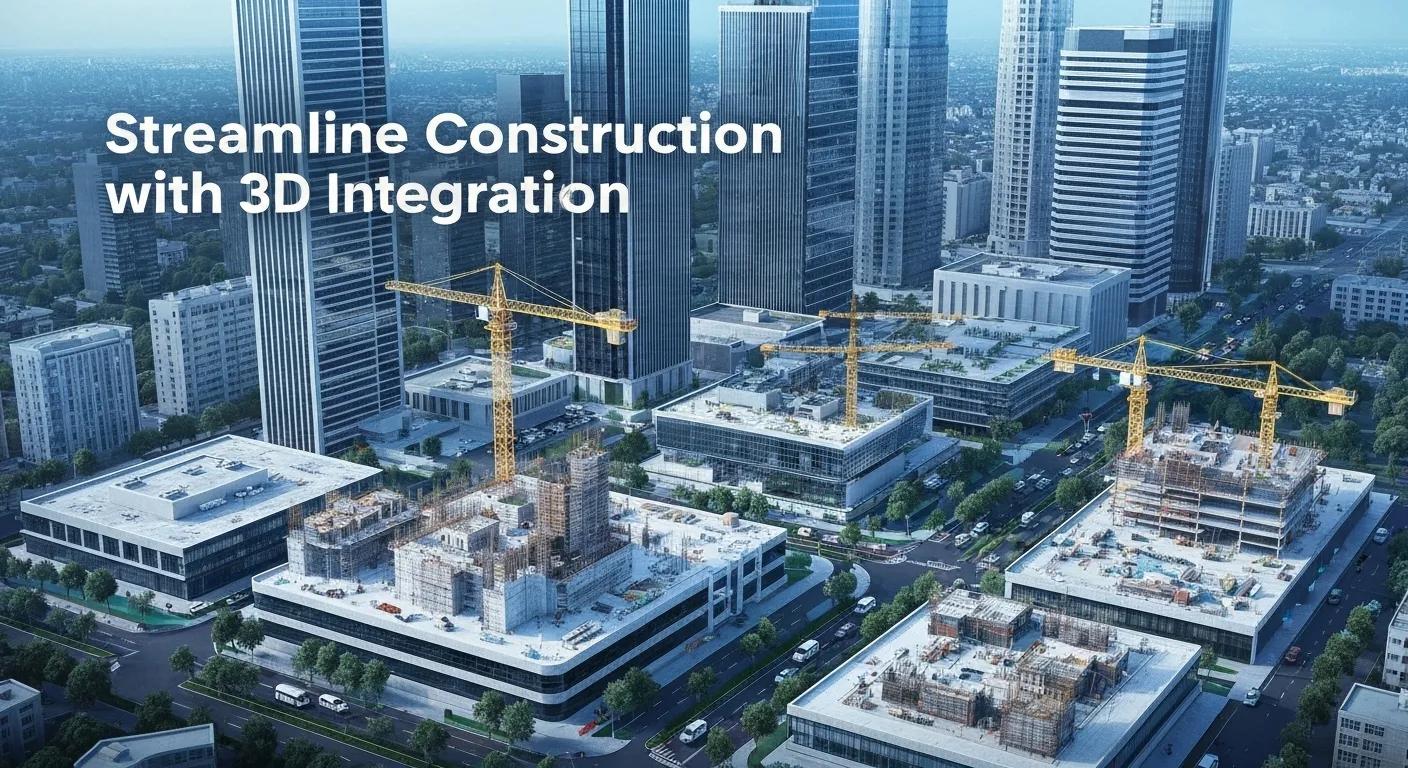
Streamline Construction with 3D Integration
3D model integration services and MEP layout and coordination align design, fabrication, and construction workflows to reduce rework and accelerate delivery on building projects. This guide, informed by experts like Conway Coordination & Layout Services LLC (CCLS), explains what integrated 3D modeling and BIM-based MEP coordination are, why they matter for project outcomes, and how tools like Revit and Navisworks enable clash detection and federated model review. Many teams face costly on-site conflicts, schedule slips, and unclear handovers; coordinated 3D models provide a single source of truth that prevents those problems. Readers will learn core concepts—model federation, clash detection, VDC (4D/5D), as-built creation, and facility management integration—plus practical steps to start coordination work and hand over reliable FM data. The article also maps service availability for South Carolina and explains how Conway Coordination & Layout Services LLC (CCLS) can provide comprehensive BIM and coordination services. Throughout, target keywords such as 3D model integration services, MEP layout and coordination, and BIM MEP coordination services are used to connect technical guidance to practical project execution.
What Is 3D Model Integration and Why Is It Essential in Construction?
3D model integration is the process of combining discipline-specific digital models—architectural, structural, and MEP—into a coordinated federated environment so multidisciplinary teams can analyze spatial relationships and detect conflicts early. By federating native authoring files or neutral formats, teams expose clashes, align level-of-detail (LOD) expectations, and enable downstream uses such as scheduling, costing, and facility management. The main value is reduced on-site rework and clearer documentation that supports procurement and installation sequencing. Integrated 3D models also enable digital twin readiness by attaching asset metadata and connecting to maintenance systems, which improves lifecycle decision-making. The next sections break down how integration improves collaboration, which components are involved, and what software tools practitioners typically use.
How Does 3D Model Integration Improve Collaboration and Project Outcomes?
3D model integration improves collaboration by establishing a single source of truth where version control, model federations, and standardized naming conventions reduce ambiguity across trades. When teams share a federated model, RFIs drop and coordination meetings focus on resolution rather than discovery, which shortens decision cycles. Example workflows include scheduled clash runs, issue assignment, and tracked coordination logs that map responsibility to each trade, reducing repeated field fixes. These mechanisms cut rework and help stakeholders keep schedules aligned with procurement and installation windows, which feeds directly into improved project outcomes and stakeholder trust.
What Are the Key Components of 3D Model Integration in BIM?
Core components of 3D model integration include discipline authoring models (architectural, structural, MEP), point-cloud scans for existing conditions, shared parameter and classification systems, and exchange formats such as RVT and IFC for interoperability. Level-of-Development (LOD) and level-of-information (LOI) definitions determine the granularity of geometry and metadata required at each milestone, which ensures models are useful for downstream workflows. Data exchange standards and coordinated naming conventions minimize translation errors during federation and support automated processes like clash detection and takeoff extraction. Properly defined deliverables and a BIM Execution Plan make these components operable across teams and phases.
Which Software Tools Are Used for 3D Model Integration?
Teams typically use a mix of authoring and review tools to integrate models and run coordination checks, matching capabilities to tasks like modeling, clash detection, and cloud collaboration. Below is a compact comparison of common tools to guide selection based on purpose and strengths.
| Tool | Primary Purpose | Strengths |
|---|---|---|
| Autodesk Revit | Authoring and discipline modeling | Parametric modeling, native MEP families, rich metadata |
| Autodesk Navisworks | Clash detection and federated review | Rule-based clash tests, consolidated model review |
| Point-cloud tools (scan-to-BIM) | Existing-conditions capture and reconciliation | Accurate as-built geometry and traceable verification |
This comparison helps teams choose tools that align with coordination goals: Revit for authoring, Navisworks for clash workflows, and point-cloud tools for accurate as-built integration. Understanding tool roles reduces duplication of effort and supports efficient model handoffs.
How Does MEP Layout and Coordination Optimize Building Systems?
MEP layout and coordination organize mechanical, electrical, and plumbing systems spatially and logically so that installation is buildable, serviceable, and code-compliant within project constraints. Coordination workflows identify routing paths, equipment clearances, and access zones, then resolve conflicts where systems intersect or compete for space. The process improves installation speed and minimizes costly change orders by validating designs against structural and architectural constraints before procurement. By integrating MEP models with sequencing and logistics planning, teams can also optimize staging and reduce on-site clashes that delay critical-path activities.
What Are the Main Mechanical, Electrical, and Plumbing Systems in MEP Coordination?
MEP coordination covers HVAC duct networks and equipment footprints, plumbing risers and piping layouts, electrical distribution and conduit runs, and specialized systems like fire protection and low-voltage cabling. HVAC layout must balance airflow, diffuser locations, and equipment clearances while plumbing routes need gradient, access, and riser space. Electrical coordination focuses on panel placement, conduit fill, and equipment clearance to meet safety and serviceability requirements. Understanding these systems and their layout constraints helps predict where spatial conflicts commonly occur and what adjustments will preserve performance.
How Does MEP Coordination Prevent Design Conflicts and Clashes?
Coordination prevents conflicts through an iterative process of model federation, automated clash detection runs, prioritized issue resolution, and recorded coordination meetings that assign ownership for fixes. Clash workflows typically include tolerance settings, rule definitions (e.g., hard vs. soft clashes), and exportable issue reports that integrate with project issue trackers. Iterative cycles—test, assign, resolve, verify—ensure that clashes are addressed before construction, shifting cost and effort from field rework to office coordination. Clear resolution ownership and documented coordination logs accelerate accountability and closeout.
BIM-Based MEP Coordination Approaches in the USA
The design coordination of Mechanical, Electrical, and Plumbing (MEP) systems is a manual process conducted during preconstruction phase of building projects. The difficulties associated with the conventional MEP coordination process have resulted in extensive efforts to enhance the process through utilization of BIM technology. The widespread adoption of BIM technology by AEC (architecture/engineering/construction) firms has given rise to new means and methods of conducting MEP coordination. However, there is limited knowledge about various approaches that are currently practiced as BIM-based coordination. Also, there is a need to identify information items and metrics needed to properly capture and measure the effect of BIM on enhancing coordination process. The major objective of this study is to capture the underpinnings of BIM-based coordination process as currently practiced by AEC firms in the U.S. A nationwide survey was conducted to capture the subject matter experts’ opinions in the following areas of BIM-based coordination: (1) Current approaches of conducting coordination using BIM; (2) Information items collected to monitor coordination process; (3) Factors affecting coordination production rate; (4) Metrics used by AEC companies to measure production rate; and (5) Identified best practices leveraged by companies to enhance BIM utilization in the coordination process. The findings of this study indicated that ” remote coordination ” and ” regular coordination ” are the most widely used BIM-based coordination approaches. Number of clashes
Exploring the approaches in the implementation of BIM-based MEP coordination in the USA, S Yarmohammadi, 2015
What Are the Benefits of Effective MEP Coordination for Construction Projects?
Effective MEP coordination yields measurable benefits: shorter installation times, fewer change orders, reduced material waste, and improved system performance after turnover. Early clash detection can decrease on-site rework percentages and support more predictable schedules, directly improving budget adherence. Coordinated models help trades sequence work to avoid access conflicts, which enhances safety and reduces downtime. These operational improvements compound into lifecycle value by producing models and asset information that support facility management and maintenance planning.
| System | Layout Considerations | Typical Clashes |
|---|---|---|
| HVAC | Duct routing, equipment clearances, diffuser locations | Duct vs. structure, generator exhaust conflicts |
| Plumbing | Riser alignment, access panels | Pipes through beams, clash with electrical conduits |
| Electrical | Conduit runs, panel locations, clearance | Conduit congestions, equipment access obstructions |
This meronym-style table clarifies system components, layout issues, and common clash types so coordination strategies can be targeted to the most frequent problems.
What Is Clash Detection and How Does It Enhance MEP Coordination?
Clash detection is the automated or manual process of identifying spatial conflicts between model elements so that they can be resolved prior to construction, reducing costly field changes and schedule impacts. Automated clash detection applies rules and tolerances to federated models to surface hard and soft clashes, while manual review adds contextual judgment to ambiguous cases. By catching issues early, clash detection shortens the coordination cycle, lowers change-order rates, and improves predictability. The next subsections explain automated workflows, differences from manual checks, and the quantifiable reductions in rework enabled by systematic clash management.
How Does Automated Clash Detection Work in 3D Models?
Automated clash detection runs predefined rules against a federated model set, using tolerance values to determine significance and generating an exportable list of issues with locations and screenshots. The process typically starts with rule definition, batch runs, result filtering, and issue assignment into a coordination log or issue-tracking platform. Outputs include clash reports, annotated model views, and grouped issue sets by priority or trade, which accelerates resolution tracking. Automated runs are repeatable and fast, enabling regular coordination sprints that progressively reduce outstanding clashes before fieldwork begins.
- Define Rules: Set tolerances and test types for relevant systems.
- Run Batch Tests: Execute clash tests on federated models.
- Filter & Assign: Prioritize results, assign ownership, and export issues.
Automated clash detection streamlines repetitive checks and frees coordination meetings to focus on design decisions rather than discovery, which improves team efficiency.
What Are the Differences Between Manual and Automated Clash Detection?
Automated detection excels at speed and repeatability, catching geometric conflicts across large federations quickly, while manual review brings contextual awareness—recognizing intended penetrations or design intents that rules might flag incorrectly. Automated tools support scheduled runs and consistent reporting, but they can generate false positives without carefully tuned rules and classifications. Manual review is necessary for situations requiring engineering judgment, such as clearance for maintenance or code interpretation. A hybrid approach—automated sweeps followed by targeted manual reviews—captures the strengths of both methods and reduces unnecessary coordination effort.
How Does Clash Detection Reduce Rework and Project Delays?
Clash detection reduces rework by identifying issues when changes are cheaper to implement—in design and procurement phases—rather than during installation. Typical KPIs affected include reduced percent rework, lower change-order counts, and improved schedule reliability; teams often measure decreases in on-site conflict resolution time as a direct outcome. For example, the systematic removal of high-priority clashes before mobilization shortens installation cycles and prevents cascading schedule impacts on dependent trades. Clear documentation from clash runs also speeds contractor claims resolution and supports cost control during construction.
How Can BIM Consulting and Implementation Support 3D Model Integration and MEP Coordination?
BIM consulting provides strategy, execution planning, training, and process design to institutionalize 3D model integration and MEP coordination across a project or organization. Experts like Conway Coordination & Layout Services LLC (CCLS) help draft BIM Execution Plans (BEPs), set LOD/LOI targets, define data exchange protocols, and recommend toolsets appropriate for project scale and budget. Training and upskilling accelerate adoption and reduce model errors that cause downstream clashes. For small-to-medium construction projects, pragmatic BIM consulting from CCLS balances in-house capability building with selective outsourcing of high-skill tasks like clash detection.
What Is BIM Strategy Development and Execution Planning?
BIM strategy development defines the vision, roles, deliverables, and data standards for model-based workflows and results in a BIM Execution Plan that guides project teams from design through handover. A BEP typically lists responsibilities, model content requirements, acceptable file formats, LOD/LOI matrices, and coordination schedules that map to project milestones. Execution planning includes timelines for federated reviews, clash cycles, and handover deliverables to ensure modeling effort aligns with procurement and installation needs. This disciplined planning reduces duplicated effort and sets clear expectations across multidisciplinary teams.
BIM Execution Plan checklist:
- Define Roles & Responsibilities: Who owns modeling and coordination tasks.
- Specify Deliverables & LOD: What to provide at each milestone.
- Set Coordination Cadence: Clash run frequency and meeting schedules.
- Agree on Formats: RVT, IFC, or other exchange standards.
- Document Handover Requirements: As-built model and FM data expectations.
A concise BEP checklist ensures teams have an actionable roadmap and minimizes ambiguity in coordination cycles.
How Does BIM Software Training Improve Project Team Efficiency?
Targeted BIM training reduces modeling errors, improves use of authoring tools like Revit, and teaches efficient clash workflows using review tools such as Navisworks. Training formats range from hands-on workshops to role-specific modules for model authors, coordinators, and project managers, and they accelerate common tasks such as family creation, parameter management, and issue export. Improved proficiency leads to faster model updates, fewer misclassifications, and higher-quality federated models for coordination. Investing in training reduces time spent on rework and increases team confidence in delivering consistent, usable models.
What Are Best Practices for BIM Adoption in Small to Medium Construction Projects?
SMB best practices favor phased BIM adoption, lightweight deliverables, cloud collaboration, and outsourcing complex tasks when cost-effective. Starting with a minimum viable BIM scope—core model deliverables and a clear coordination cadence—lets teams build capability without high upfront investment. Cloud-based collaboration reduces IT overhead and supports remote coordination, while outsourcing specialized tasks like automated clash detection ensures efficient resolution without hiring full-time experts. Prioritizing deliverables that directly reduce risk, such as coordinated MEP layouts and as-built models for FM handover, provides tangible ROI early in adoption.
How Does 3D Design Visualization Enhance Construction Planning and Client Communication?
3D design visualization turns model data into comprehensible visuals—renderings, walkthroughs, system isolations, and animations—that clarify design intent and reveal coordination issues before construction. Visuals help non-technical stakeholders validate access, aesthetics, and functional layouts, while system-level views prioritize clashes and highlight installation sequences for trades. Immersive tools such as VR and AR increase stakeholder confidence during sign-off and provide guidance during installation by overlaying models on site conditions. These visualization techniques improve early detection of coordination issues and streamline approvals.
What Types of 3D Visualizations Are Used for MEP Systems?
MEP visualizations include system isolation views that display individual disciplines, clash heatmaps that prioritize geometry conflicts, and sequenced installation animations that show order-of-operations for trades. These visuals support coordination meetings, subcontractor previews, and client reviews by focusing attention on the most relevant system interactions. Deliverables such as annotated walkthroughs and exportable view sets provide actionable guidance for installers and reduce ambiguity during on-site work. Using the right visualization format for the audience increases clarity and accelerates decision-making.
- System isolation views separate trades for focused review.
- Clash heatmaps visualize conflict density and priority.
- Sequenced animations illustrate installation order and access needs.
These visualization types improve cross-discipline understanding and support timely resolution of coordination issues.
How Do Design Visualizations Help Identify Coordination Issues Early?
Visualizations surface spatial conflicts, maintenance access problems, and safety egress issues that may be unclear in 2D documentation, allowing teams to adjust designs while changes are still inexpensive. By simulating access panels, equipment replacement paths, and clearance zones, teams can identify long-term serviceability issues before procurement. Regular visualization checkpoints at design milestones catch emerging problems and guide LOD decisions for model development. This proactive approach reduces the likelihood of costly retrofits during construction and supports long-term maintainability.
What Role Do Virtual Reality and Augmented Reality Play in Design Visualization?
VR supports immersive client walkthroughs that accelerate approvals and detect human-scale issues, while AR overlays model information on-site to support layout verification and installation guidance. Pilot VR sessions can be an effective validation tool during design reviews, and AR can be integrated into field devices for trade-level verification against as-built conditions. Both technologies require targeted scope and ROI expectations, but when used judiciously they enhance stakeholder buy-in and reduce installation errors. Starting with small pilots helps teams evaluate effectiveness before broader rollout.
What Are Virtual Design and Construction Solutions and Their Benefits?
Virtual Design and Construction (VDC) applies integrated 3D models, scheduling, and costing data to plan site logistics, sequencing, and risk mitigation; it elevates model-based coordination into operations that directly influence construction productivity. VDC typically integrates 4D (schedule) and 5D (cost) data with geometry to simulate build sequences, forecast impacts of changes, and optimize resource allocation. The approach reduces surprises on site, improves forecasting for change orders, and supports safer, more efficient site operations. Below is a concise comparison of 4D and 5D attributes to clarify their roles.
| BIM Dimension | Attribute | Benefit |
|---|---|---|
| 4D (Scheduling) | Links model elements to timeline tasks | Visual sequencing and clash-free scheduling |
| 5D (Costing) | Attaches cost data to model elements | Real-time cost impact analysis for changes |
| VDC (Combined) | Integrates 3D+4D+5D for planning | Improved forecasting, fewer delays, cost control |
Combining 4D and 5D with model federation lets teams simulate site logistics, staging, and resource flows to minimize downtime and coordinate deliveries. The integration supports decision-making when schedule or scope changes occur and helps quantify impacts quickly.
How Do 4D and 5D BIM Integrate Scheduling and Costing into Project Planning?
4D BIM maps model elements to schedule tasks so teams can visualize sequencing, detect space-time conflicts, and optimize crane or staging needs. 5D BIM attaches cost metrics to model elements, enabling instant cost rollups and scenario analysis when design changes occur. The combined workflow supports change-impact analysis by showing how a geometry modification affects both time and budget, which improves forecasting and negotiation of change orders. Linking model elements to schedule and cost databases provides a robust platform for decision-making through construction.
What Is Site Logistics Planning in VDC?
Site logistics planning uses model-based simulations to optimize staging areas, equipment access, material deliveries, and safety egress. VDC simulations test different sequencing and delivery windows to minimize interference between trades and reduce idle time. Checklists for site logistics include staging allocation, delivery windows, temporary services, and safety buffer zones that can be validated against 4D sequences. Effective logistics planning reduces crane moves and minimizes on-site congestion, improving worker productivity and safety.
How Does VDC Improve Overall Project Delivery and Efficiency?
VDC reduces on-site issues by enabling teams to validate sequences and detect clashes in time-space rather than just geometry, improving schedule predictability and reducing rework. KPIs improved by VDC include decreased change-order costs, higher first-pass installation rates, and shorter critical-path durations. A case-style example: simulated staging reduced crane hours and shortened erection time by optimizing delivery sequencing, which lowered costs and improved site safety. The cumulative benefits of VDC are stronger coordination, clearer risk visibility, and better alignment between design intent and execution.
How Does Facility Management Integration with 3D Models Support Long-Term Building Maintenance?
Facility management integration with 3D models turns design and as-built data into actionable asset records, enabling preventive maintenance, spatial searches, and lifecycle planning. As-built models capture accurate geometry and asset metadata—serial numbers, warranties, maintenance schedules—that can be exported to a CMMS or used for digital twin initiatives. Integrating MEP coordination data into FM systems reduces downtime by making asset locations and service histories searchable and by supporting predictive maintenance programs. The following subsections explain as-built creation, asset information management, and maintenance planning benefits.
What Is As-Built Model Creation and Its Importance for Facility Management?
As-built model creation combines point-cloud capture, field verification, and model reconciliation to produce accurate geometry and metadata that reflect installed conditions. Scan-to-BIM processes create a detailed digital baseline for FM teams, and field verification ensures critical attributes such as access panels and service clearances are correctly modeled. Deliverables for FM typically include reconciled as-built models with linked asset parameters and inspection points that support later maintenance tasks. Accurate as-built models reduce time spent locating assets and minimize costly surprises during repairs.
BIM Interoperability for As-Built Facility Management Data
Nowadays, the increasing complexity of buildings highlights the need for the architecture, engineering, construction, and operation (AECO) sector to manage a large amount of data. In this scenario, the building digitisation process offers the opportunity to create virtual databases to collect data from different disciplines efficiently. At this point, Building Information Modelling represents the innovative methodology able to manage a building in its entire life cycle.
Its application has been studied and documented in the design phase to construction, but it is important to underline its relevance in the Facility Management (FM) sector. While the literature highlights the many potentials, it also draws attention to the criticalities of using BIM for FM, such as inconsistent and organic asset data acquisition guidelines, inadequate knowledge integration due to different schemas, syntaxes and semantics, and lack of systematic cataloguing of different sources.
The contribution of this study is the identification of a generic set of information requirements for FM systems, which should be included in BIM As-Built models for efficient facility operations and maintenance using an open standard format such as Construction-Operations Building Information Exchange (COBie). To this aim, the process is structured in three steps starting with Data Acquisition with digital survey techniques to obtain a 3D point cloud. Then, Data Integration in a Revit platform, and finally, defining what information from the BIM model could be useful, Data Management to transfer the identified specific information requirements into FM systems.
BIM interoperability and data exchange support for as-built facility management, A Di Filippo, 2021
How Is Asset Information Managed Through 3D Model Integration?
Asset information is managed by attaching metadata—serial numbers, maintenance intervals, warranty dates, and vendor information—to model elements and exporting those fields to a CMMS for ongoing operations. This linkage allows FM teams to search by location, system type, or asset attribute and to trigger preventive maintenance based on model data. Typical asset attributes include model, serial, installation date, and scheduled maintenance frequency, which form the backbone of a searchable asset database. Integrating these records with a CMMS improves response times and supports data-driven lifecycle planning.
| Asset Data Element | Typical Model Field | FM Use |
|---|---|---|
| Serial Number | Parameter on equipment family | Track warranties and replacements |
| Maintenance Interval | CMMS-linked schedule | Automate preventive work orders |
| Location | Space/room assignment | Rapid dispatch and access planning |
This table shows how model parameters map to FM use cases, enabling predictable maintenance and easier operation of building systems.
How Can Maintenance Planning Benefit from BIM and MEP Coordination Data?
Maintenance planning benefits from BIM and MEP coordination by providing precise asset locations, access constraints, and service sequences that reduce downtime and speed technician tasks. Coordinated models reveal maintenance access needs early, allowing teams to schedule preventive work with minimal operational disruption. Using model-driven asset histories and predicted failure data enables predictive maintenance strategies that save cost over reactive repairs. Integrating coordination data into FM workflows supports measurable KPI improvements such as reduced mean time to repair and fewer emergency service calls.
For projects requiring post-construction handover services, Conway Coordination & Layout Services LLC (CCLS) can ensure facilities are delivered with comprehensive, FM-ready as-built models, providing a strong foundation for long-term maintenance.
Where Are 3D Model Integration and MEP Coordination Services Available?
3D model integration and MEP coordination services are available in regions where local teams can provide fast on-site verification, coordination meetings, and field checks that close the loop between digital models and constructed reality. In South Carolina, Conway Coordination & Layout Services LLC (CCLS) offers specialized expertise. Their local presence speeds site visits, simplifies logistics, and leverages contractor networks familiar with regional permitting and construction practices. This local presence shortens response times for verification, supports same-day issue validation, and improves collaboration between designers, contractors, and facilities staff. CCLS also extends its services to North Carolina, Virginia, Georgia, and Florida, ensuring comprehensive coverage across the Southeast.
What Specialized Services Does Conway Coordination & Layout Services LLC (CCLS) Offer in South Carolina and the Southeast?
Conway Coordination & Layout Services LLC (CCLS) provides a comprehensive suite of 3D model integration and MEP coordination services tailored for South Carolina and the broader Southeast region, including North Carolina, Virginia, Georgia, and Florida. These offerings include BIM Execution Plan development, federated model review, advanced clash detection and resolution, 4D/5D BIM integration, as-built model creation, and facility management data handover. CCLS’s local team ensures rapid response times for on-site verification and collaborative coordination meetings, leveraging deep familiarity with regional construction practices to streamline project delivery and optimize building system performance.
How Does Local Expertise Enhance 3D/MEP Service Delivery?
Local expertise, such as that provided by Conway Coordination & Layout Services LLC (CCLS), shortens the feedback loop between model-based coordination and site verification by enabling quick on-site checks, fast contractor matching, and knowledge of regional code nuances. Familiarity with local suppliers, subcontractors, and construction practices reduces friction during resolution of model-identified issues and supports timely approvals. Examples include same-day site validation of a clash location or rapid mobilization to verify an as-built discrepancy, both of which lower schedule risk. Local teams also maintain relationships with FM contractors for handover tasks that rely on both digital and physical readiness.
How to Get Started with 3D Model Integration and MEP Coordination Services?
Getting started with 3D model integration and MEP coordination follows a logical onboarding process: define scope and deliverables, ingest models, run coordinated clash cycles, resolve issues with assigned owners, and deliver as-built models with FM-ready asset data. An initial consultation with experts like Conway Coordination & Layout Services LLC (CCLS) clarifies goals, required LOD, target platforms, and coordination cadence so teams can plan resource allocations and expected timelines. Deliverables typically include federated model reviews, clash reports, resolved issue logs, and final as-built files annotated with asset metadata for operations. The next subsection presents a step-by-step process suitable for featured snippet use and practical onboarding.
What Is the Step-by-Step Process from Consultation to Project Completion?
The onboarding and delivery process is a sequence of clear phases that move a project from discovery to FM-ready handover:
- Consultation & Scoping: Define objectives, LOD, deliverables, and coordination cadence.
- BEP & Model Intake: Prepare a BIM Execution Plan and ingest native models or IFC files.
- Clash Detection Cycles: Run automated tests, filter results, and assign issues for resolution.
- Resolution & Verification: Implement design adjustments, verify fixes in federated models.
- As-Built Delivery & FM Handover: Produce reconciled as-built models with asset metadata for CMMS export.
Each step includes expected timelines and deliverables that align with procurement and construction milestones, which helps project teams plan resource allocation and minimize schedule impacts.
How Can Businesses Request a Free Consultation or Quote?
When requesting an initial consultation or quote from Conway Coordination & Layout Services LLC (CCLS), prepare a concise project brief including project type, location, existing model formats (RVT/IFC/point-cloud), coordination priorities, and desired deliverables such as as-built models or FM exports. Preferred contact channels typically include a website inquiry or local business profile; include expected response times and what to expect in the first meeting—scope review and proposal outline. Providing sample models or documented issues ahead of the consultation accelerates the scoping process and yields a more accurate estimate of coordination effort.
Conway Coordination & Layout Services LLC (CCLS) offers comprehensive services that pair well with facility handover activities, ensuring a smooth transition from construction to operation.
What Are Common FAQs About 3D Model Integration and MEP Coordination?
This section addresses typical project questions regarding scope, timelines, software compatibility, and SMB-focused approaches to BIM and coordination. Common concerns include costs of coordination cycles, expected timeframes for clash resolution, and how deliverables integrate with facility management systems. Clear answers help set expectations for stakeholders and provide a practical framework for initiating model-based coordination on projects of varying sizes.
Frequently Asked Questions
What is the role of Virtual Design and Construction (VDC) in 3D model integration?
Virtual Design and Construction (VDC) enhances 3D model integration by combining 3D models with scheduling (4D) and costing (5D) data. This integration allows teams to visualize construction sequences, optimize resource allocation, and mitigate risks. By simulating logistics and sequencing, VDC helps identify potential conflicts and inefficiencies before they arise on-site, leading to improved project delivery and reduced costs. The holistic approach of VDC ensures that all aspects of a project are aligned, enhancing overall coordination and execution.
How can businesses ensure successful BIM adoption in their projects?
Successful BIM adoption requires a strategic approach that includes defining clear objectives, establishing a BIM Execution Plan (BEP), and providing adequate training for team members. Businesses should start with a phased implementation, focusing on core deliverables and gradually expanding capabilities. Engaging stakeholders early and maintaining open communication throughout the process is crucial. Additionally, leveraging cloud-based collaboration tools can enhance coordination and accessibility, making it easier for teams to work together effectively and efficiently.
What are the challenges of integrating MEP systems in construction projects?
Integrating MEP systems in construction projects presents several challenges, including spatial conflicts, coordination among multiple disciplines, and adherence to building codes. MEP systems often compete for limited space, leading to clashes that can delay construction. Effective communication and collaboration among architects, engineers, and contractors are essential to address these issues. Utilizing advanced tools for clash detection and model integration can help identify and resolve conflicts early in the design phase, minimizing costly changes during construction.
How does effective communication impact 3D model integration and MEP coordination?
Effective communication is vital for successful 3D model integration and MEP coordination. It ensures that all stakeholders are aligned on project goals, timelines, and responsibilities. Regular coordination meetings and clear documentation of decisions help prevent misunderstandings and keep the project on track. When teams communicate openly, they can quickly address issues as they arise, reducing the likelihood of costly rework and delays. Establishing standardized communication protocols can further enhance collaboration and streamline the integration process.
What are the long-term benefits of using 3D models for facility management?
Using 3D models for facility management offers numerous long-term benefits, including improved asset tracking, streamlined maintenance processes, and enhanced decision-making capabilities. Accurate as-built models provide a comprehensive view of building systems, making it easier to plan maintenance and renovations. Integrating asset data into a Computerized Maintenance Management System (CMMS) allows for proactive maintenance scheduling, reducing downtime and operational costs. Overall, 3D models support better lifecycle management and help facilities operate more efficiently over time.
How can companies measure the success of their BIM implementation?
Companies can measure the success of their BIM implementation through key performance indicators (KPIs) such as reduced rework percentages, improved schedule adherence, and lower change-order costs. Tracking the time taken for clash resolution and the efficiency of coordination meetings can also provide insights into the effectiveness of BIM processes. Additionally, gathering feedback from team members and stakeholders can help identify areas for improvement and ensure that the BIM strategy aligns with project goals and expectations.
Ready to Streamline Your Project with Expert BIM Coordination?
Partner with Conway Coordination & Layout Services LLC (CCLS) to leverage cutting-edge 3D model integration and MEP coordination expertise. Reduce rework, accelerate delivery, and ensure project success.
Conclusion
Integrating 3D model services and MEP coordination significantly enhances construction efficiency by reducing rework, improving collaboration, and ensuring timely project delivery. This comprehensive approach not only streamlines workflows but also provides a reliable foundation for facility management and maintenance planning. To experience these benefits firsthand, consider reaching out to Conway Coordination & Layout Services LLC (CCLS) for a consultation to discuss your project needs. Explore how their local expertise can elevate your construction projects today.